Output
Classification results
Final classification results can be found in results/<analysis_id>/crassus_results.tsv.
This is a tabular file with each row representing a contig identified as candidate
Crassvirales. Information below is provided for each of these contigs:
crassus_id: unique CrassUS identifier
contig: user contig identifier
sample: sample of the contig
length: length of the contig
len/taxa_len: relation between contig length and the average genome length of the deepest predicted Crassvirales taxa.
ref_taxa: deepest predicted Crassvirales taxa for the contig
DTR: Direct Terminal Repeats detected (
TrueorFalse)family: Predicted Crassvirales family, if any
subfamily: Predicted Crassvirales subfamily, if any
genus: Predicted Crassvirales genus, if any
species: Predicted Crassvirales species, if any
evidence_family: Signals supporting the family assignment
evidence_genus: Signals supporting the genus assignment
notes: warnings about the assignments
discard:
Trueif there was not enough evidence to classify the contig at least at the family level.
Phylogenies for iToL
After inferring the phylogenies of the three marker genes, CrassUS generates annotation files suitable for
iToL. To visualize the phylogeny, first upload the .nwk file under
results/<analysis_id>/5_phylogenies/3_iToL, and once the tree is loaded, navigate to the Datasets > Upload annotation
files section and upload the paired .txt file. You should be able to visualize the phylogeny with the reference
sequences colored

Genome diagrams
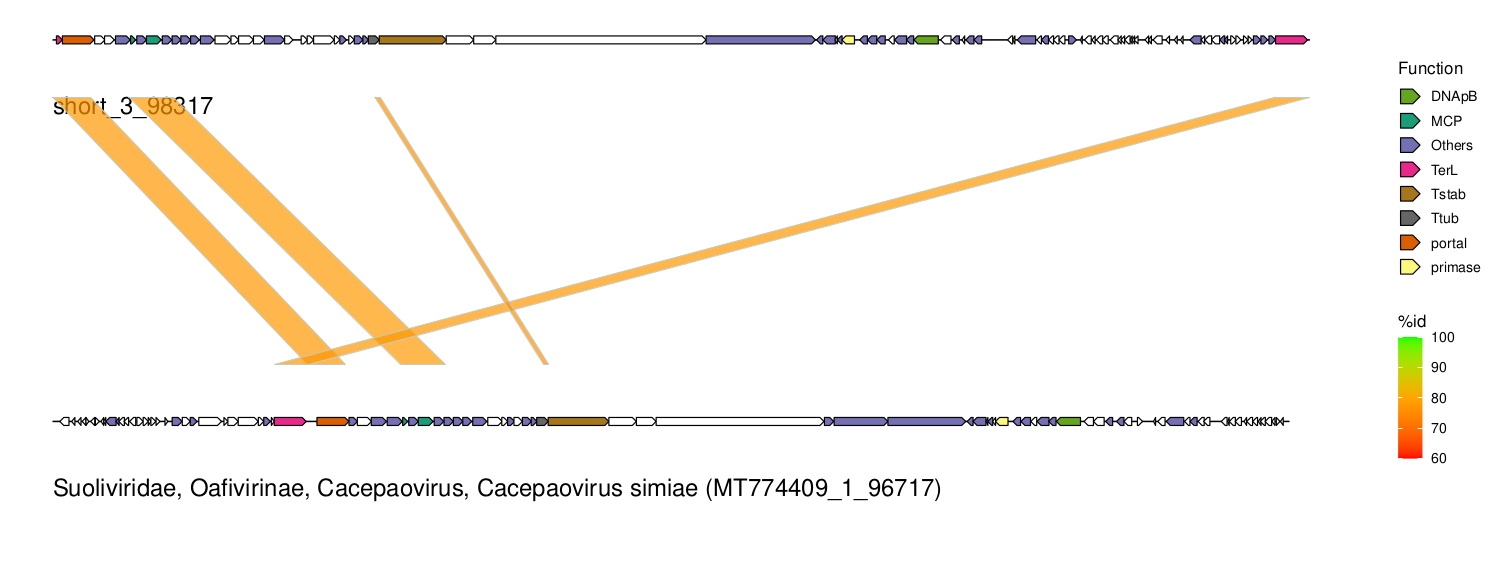
If specified under the genomes_plot > generate_plots section of the config file, results/<analysis_id>/7_ANI/alignment_plots.pdf
will be generated containing a figure for each candidate contig found by CrassUS. ORFs are depicted and colored
according to their function. At the bottom the most similar reference genome is depicted as well as their alignment regions.